
0
$0
0 items
WooCommerce is widely recognized as the most flexible e-commerce platform out there. It gives store owners full control over their shop, from the design and checkout flow to product management, payment gateways, and beyond.
Because it runs on WordPress, you own your data, your code, and your entire infrastructure. No monthly platform fees that scale with your revenue, no feature gates, no vendor lock-in.
But there's one significant gap: out of the box, WooCommerce is a B2C (business-to-consumer) platform. It's designed for a single storefront where every visitor sees the same prices, the same products, and the same checkout experience. If you need to run a WooCommerce business to business operation (wholesale pricing, tax exemptions, customer-specific catalogs, negotiated deals) the default WooCommerce setup simply doesn't support that.
Introducing B2BKing - a comprehensive plugin that transforms WooCommerce into a fully featured business to business platform, while still supporting B2C customers in a hybrid mode if needed. With 137+ features and over 14,000 active installs worldwide, it's the most advanced WooCommerce wholesale and B2B solution available today.
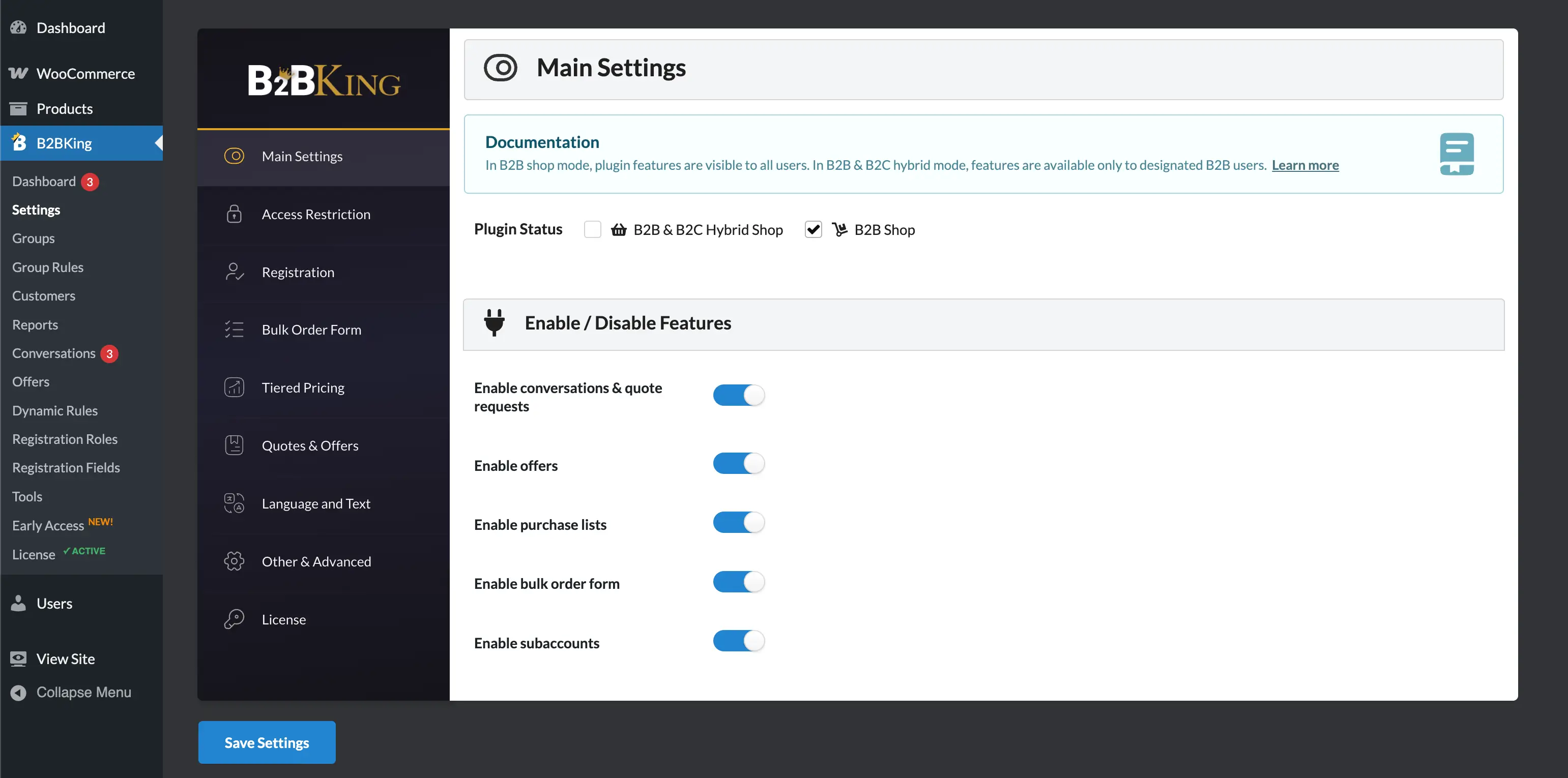
In this article, we'll walk through everything a WooCommerce B2B store needs, and show how B2BKing handles each requirement.
Before diving into advanced features, any serious B2B store needs to handle the fundamentals. In many business to business scenarios, you don't want just anyone browsing your catalog and seeing your wholesale pricing. B2BKing provides a full suite of access restriction options to handle this.
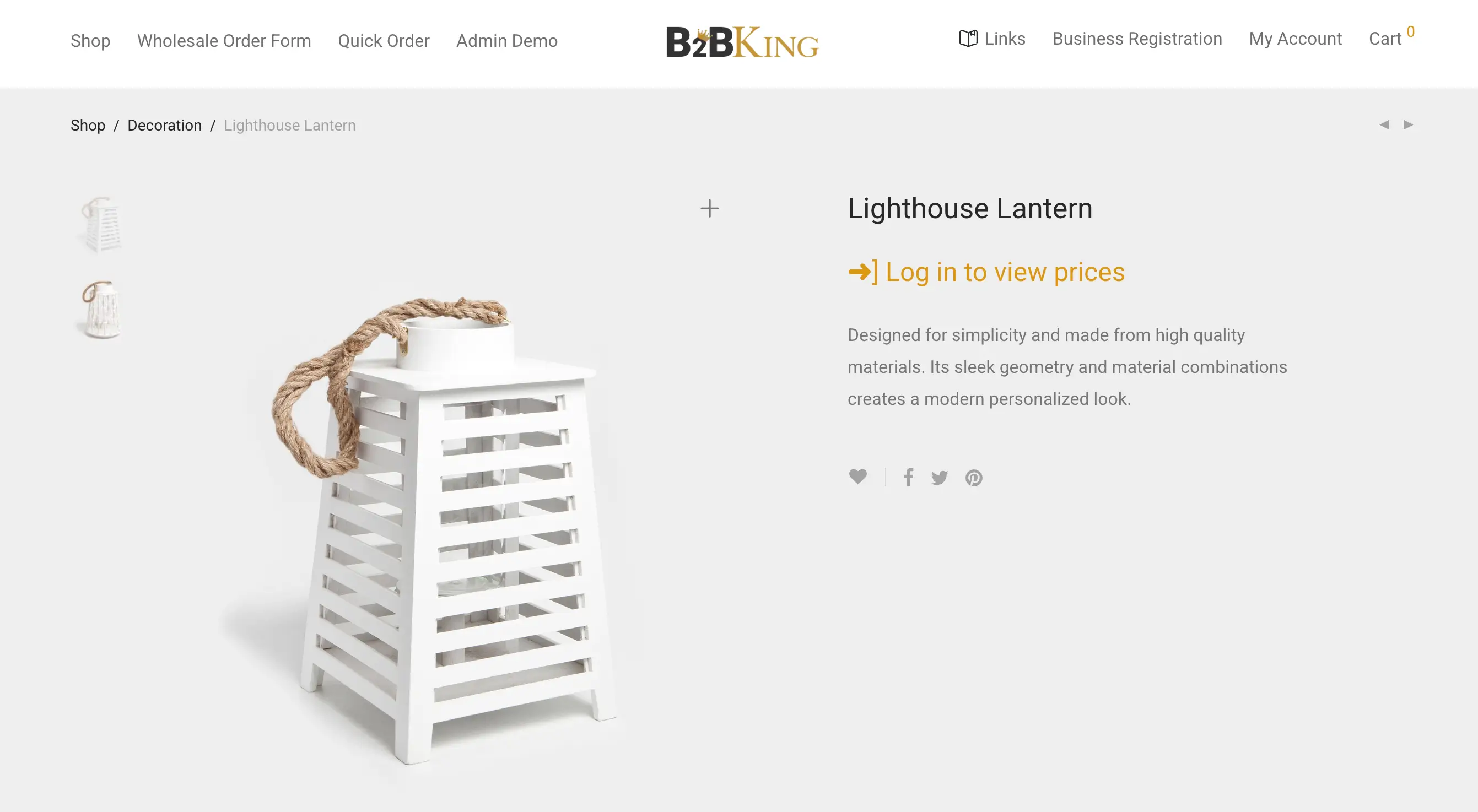
You can hide prices from logged-out users entirely, so that only registered and approved business customers can see what your products cost. Visitors who aren't logged in will see a login prompt or a "Request a Quote" button instead of a price.
You can take this further and restrict your entire shop, making it invisible to the public and accessible only to approved B2B buyers. It can also be configured so products are visible but prices are hidden, which is useful if you want your catalog to be discoverable while still keeping pricing private.
Beyond simple show/hide controls, B2BKing lets each customer or customer group see entirely different pricing for the same product. A retailer in Group A might see $150 for a product, while a large distributor in Group B sees $120, and a logged-out visitor sees nothing at all.
Furthermore, dynamic rules provide additional flexibility, allowing you to configure custom price setups on specific products or categories, for specific users or groups.
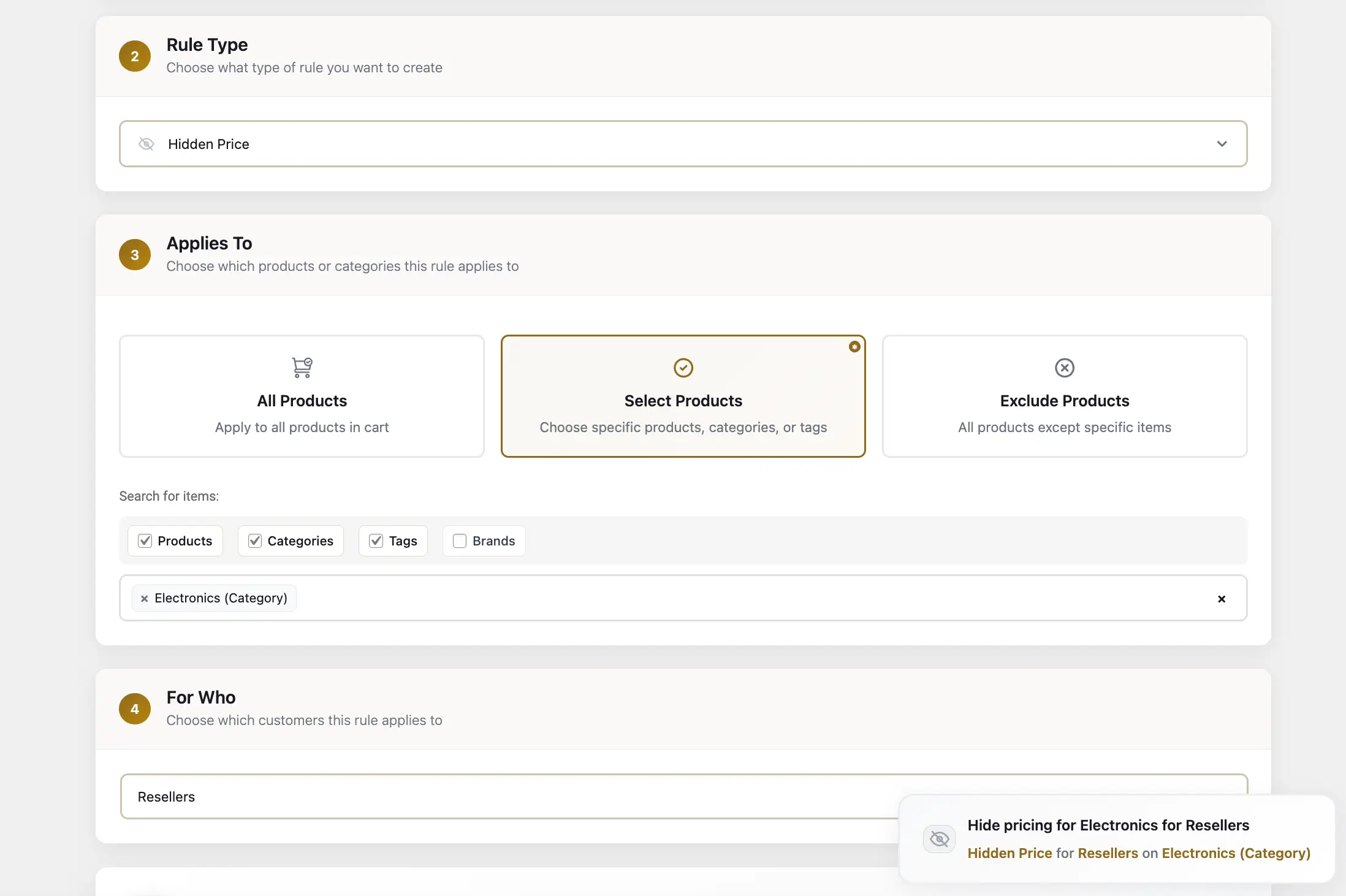
This level of per-user personalization is critical for WooCommerce business to business stores, and B2BKing handles it natively without requiring any custom code.
Pricing is at the heart of any B2B operation, and it's where the biggest gap exists between B2C and B2B e-commerce: pricing is rarely one-size-fits-all. Different customers have different agreements, volume commitments, and negotiated rates. B2BKing supports multiple pricing approaches simultaneously.
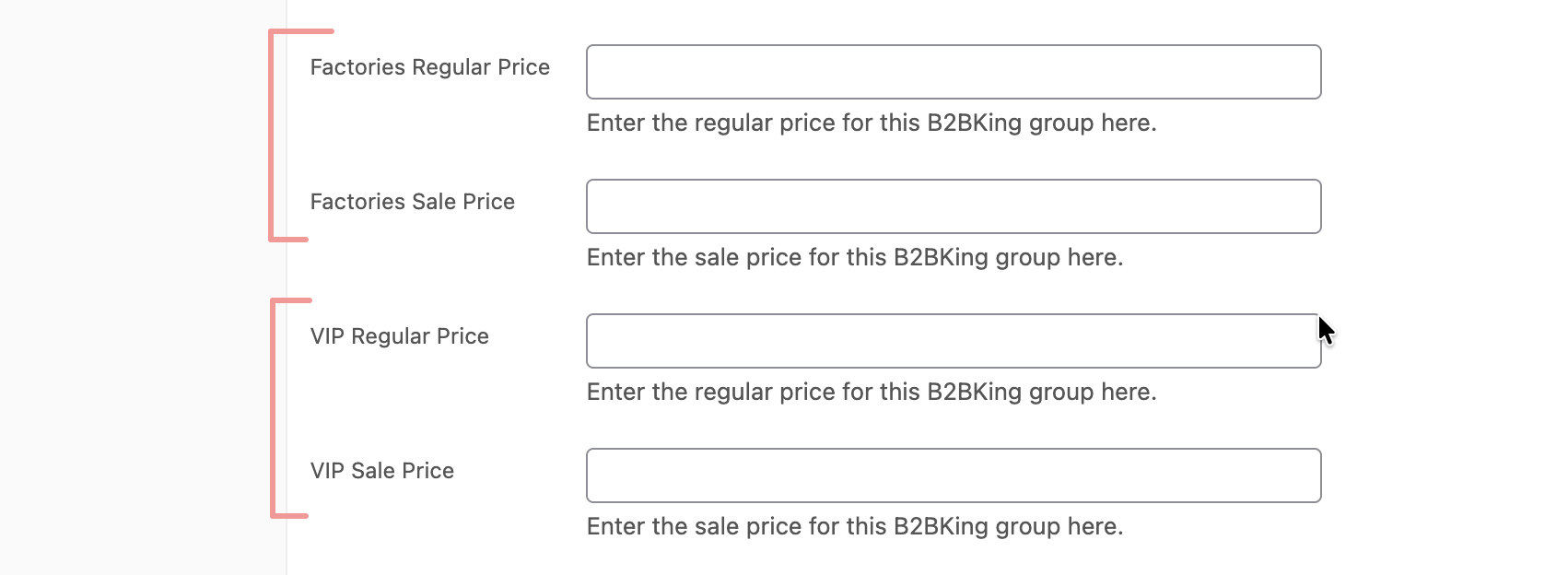
You can set wholesale group prices directly on each product. For every WooCommerce product (including variable products with multiple variations), you can enter a different price for each B2B customer group. So a product that retails at $199 for B2C buyers might be priced at $179 for your "Wholesale" group and $159 for your "Premium Wholesale" group.
B2BKing also supports tiered volume pricing, where the price decreases as the order quantity increases. You can configure pricing tiers directly on each product. For example, 1–9 units at $50 each, 10–49 units at $45 each, and 50+ units at $40 each. The plugin automatically generates a clean tiered pricing table on the product page so buyers can see exactly how the price drops with quantity.
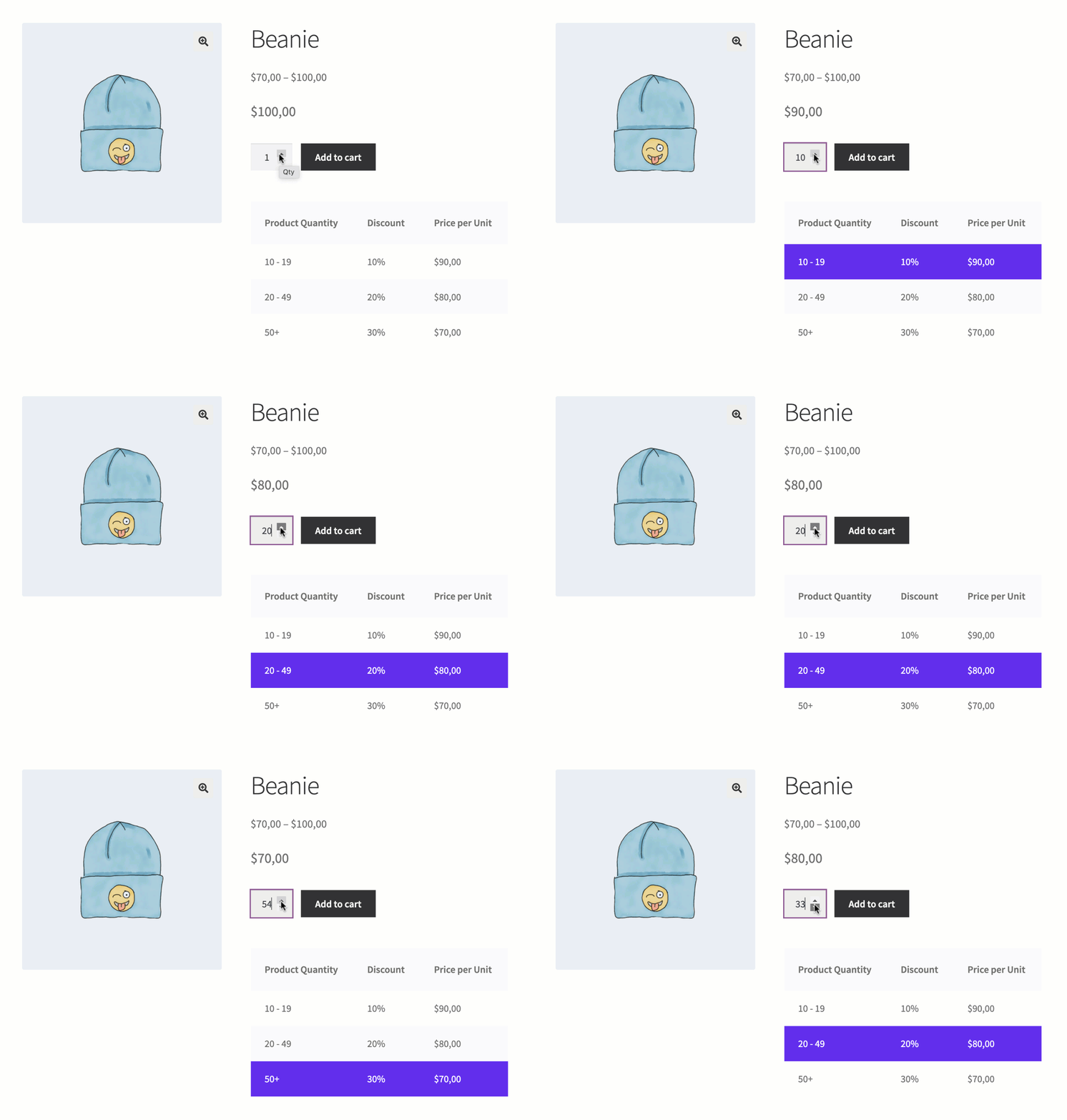
You can create broad percentage or fixed-amount discounts using dynamic rules. For instance, a single rule can give all B2B customers a 20% discount on every product in your store, or a 15% discount on a specific category. This is ideal when you want to offer a blanket wholesale discount without manually editing hundreds of product prices.
For truly custom scenarios, B2BKing's "Fixed Price" dynamic rules let you set a specific price for a specific user on a specific product. If you've negotiated a price of $37.50 per unit with a particular buyer, you can configure exactly that, and only that buyer will see it.
Tax is one of the most common pain points in WooCommerce business to business setups. In many countries and jurisdictions, B2B transactions between VAT-registered businesses are tax-exempt, while B2C sales include tax. WooCommerce's default tax system is global and doesn't differentiate between customer types.
B2BKing solves this with dedicated tax exemption dynamic rules. You can create a rule that removes tax for all B2B customers, while B2C customers continue to see and pay tax as usual. The display adjusts accordingly too: B2B customers see prices excluding tax (the way businesses typically prefer), while B2C customers see prices including tax.
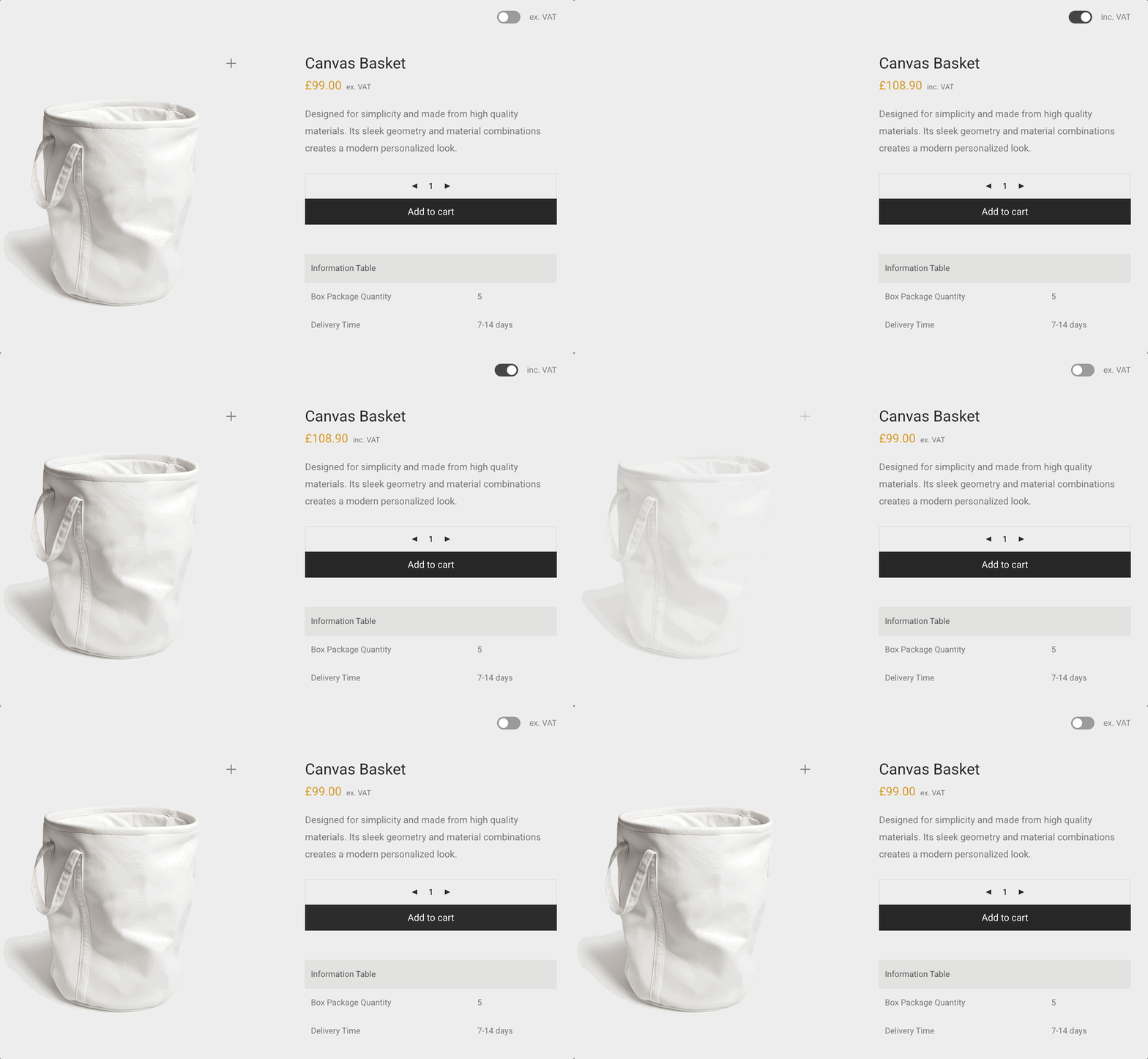
For stores operating within the EU, B2BKing integrates with the VIES (VAT Information Exchange System) validation service. You can configure your tax exemption so it only applies to customers who have provided and validated a real EU VAT number during registration. This ensures you're only granting tax-free status to legitimate businesses.
There's also a "Zero Tax Products" rule for situations where you need to remove tax on only specific products or categories rather than across the board. And for regions like Spain that use the "recargo de equivalencia" (equivalency surcharge), B2BKing's "Add Tax/Fee" dynamic rules let you add custom taxes or fees for specific customer groups, giving you the flexibility to handle virtually any regional tax requirement.
Not every B2B sale has a fixed price. In many industries, buyers request quotes, negotiate terms, and only place orders once both parties agree on pricing. B2BKing includes a full-featured quote and conversation system built directly into WooCommerce.
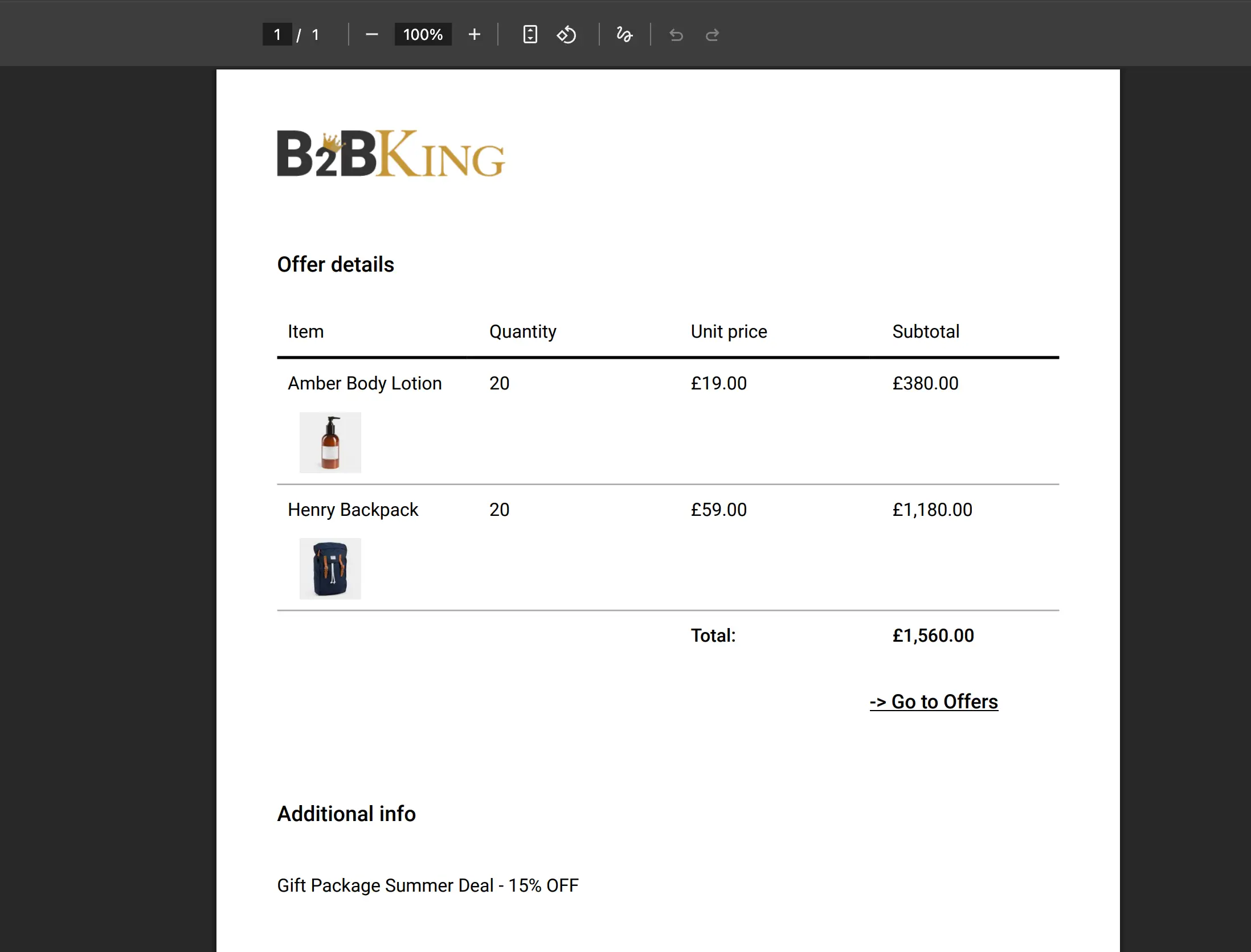
Customers can submit quote requests from the product page or from their cart. These quote requests create a conversation thread in B2BKing's built-in messaging system, where the shop manager and the customer can discuss quantities, pricing, delivery terms, and any other details. Once terms are agreed, the admin can convert the quote into a purchasable offer that the customer can accept with a single click.
B2BKing can also generate branded offer PDFs with your company logo, which can be sent by email automatically. The entire quote-to-order workflow stays within WooCommerce, so there's no need for external tools or email chains.
Segmenting your customers into groups is fundamental to running a WooCommerce business to business store effectively. B2BKing lets you create an unlimited number of customer groups, and virtually every feature in the plugin can be configured on a per-group basis: pricing, discounts, product visibility, payment methods, shipping methods, tax rules, minimum orders, and more. For example, you might have groups like "Standard Wholesale", "Premium Wholesale", "Distributors", and "VIP Partners", each with its own pricing structure and set of available features.
What makes this even more powerful is the Group Rules feature, which enables automatic group upgrades based on purchase volume. You can configure rules such as: "When a customer in the 'Standard Wholesale' group reaches $100,000 in total purchases, automatically move them to the 'VIP Partners' group."
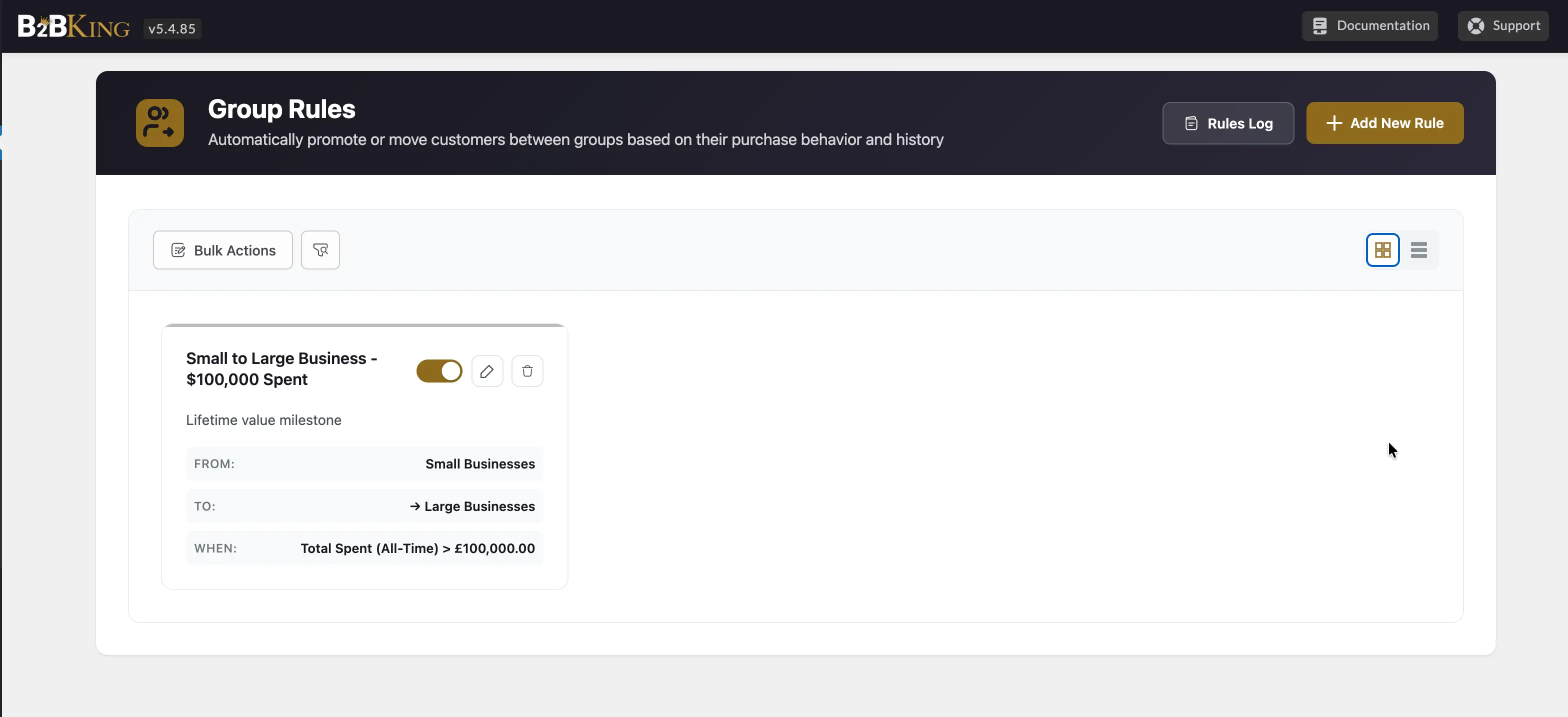
This can be based on total lifetime spend, monthly spend, or yearly spend. It's essentially a loyalty tier system built specifically for B2B, rewarding your best customers with better pricing automatically, without any manual intervention.
In B2C e-commerce, every customer generally sees the same payment and shipping options. In B2B, this is rarely the case. Some wholesale customers pay by bank transfer or purchase order, while others use credit cards. Some groups may qualify for free shipping, while others pay freight.
B2BKing gives you full control over which payment and shipping methods are available to each customer group, and even to individual users. You can configure this directly in the group settings panel: for each group, simply check or uncheck the payment and shipping methods that should be available.
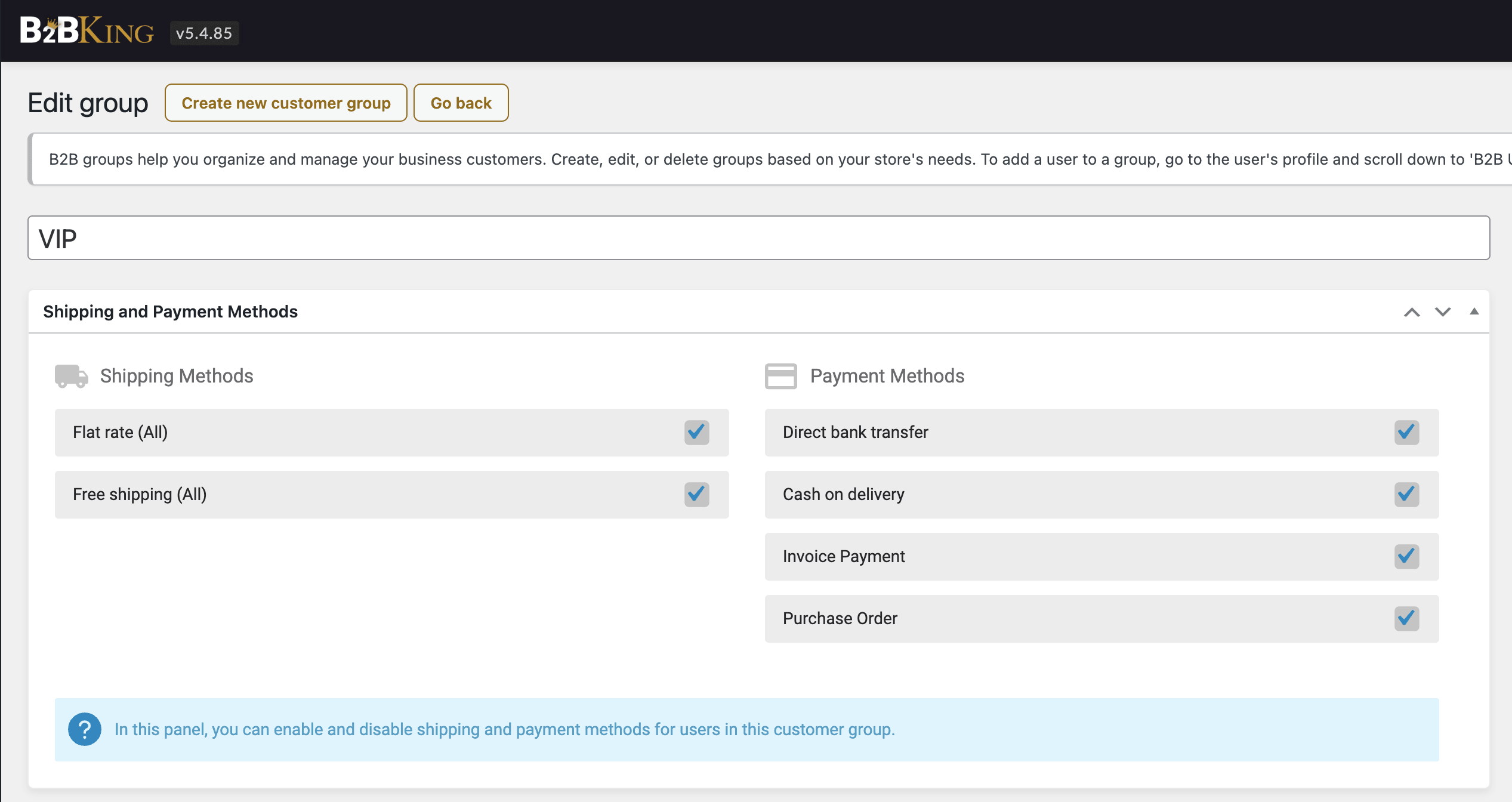
This means you can offer invoice payments or bank transfer exclusively to your verified B2B customers, while keeping credit card and PayPal options for B2C. Or you can set up a specific freight shipping method that only your distributor group sees.
A proper WooCommerce business to business store needs a registration system that goes beyond the standard WooCommerce name-and-email signup. B2BKing introduces an extended registration feature with multiple registration roles and custom fields.
You can configure separate registration paths for B2B and B2C customers. B2B applicants can be asked to provide their company name, VAT number, tax ID, business type, reseller certificate, and any other information you need, all through custom fields that you define. Each registration role can be linked to a specific customer group, so when a "Wholesale Buyer" registers, they're automatically assigned to your "Wholesale" group with the appropriate pricing and permissions.
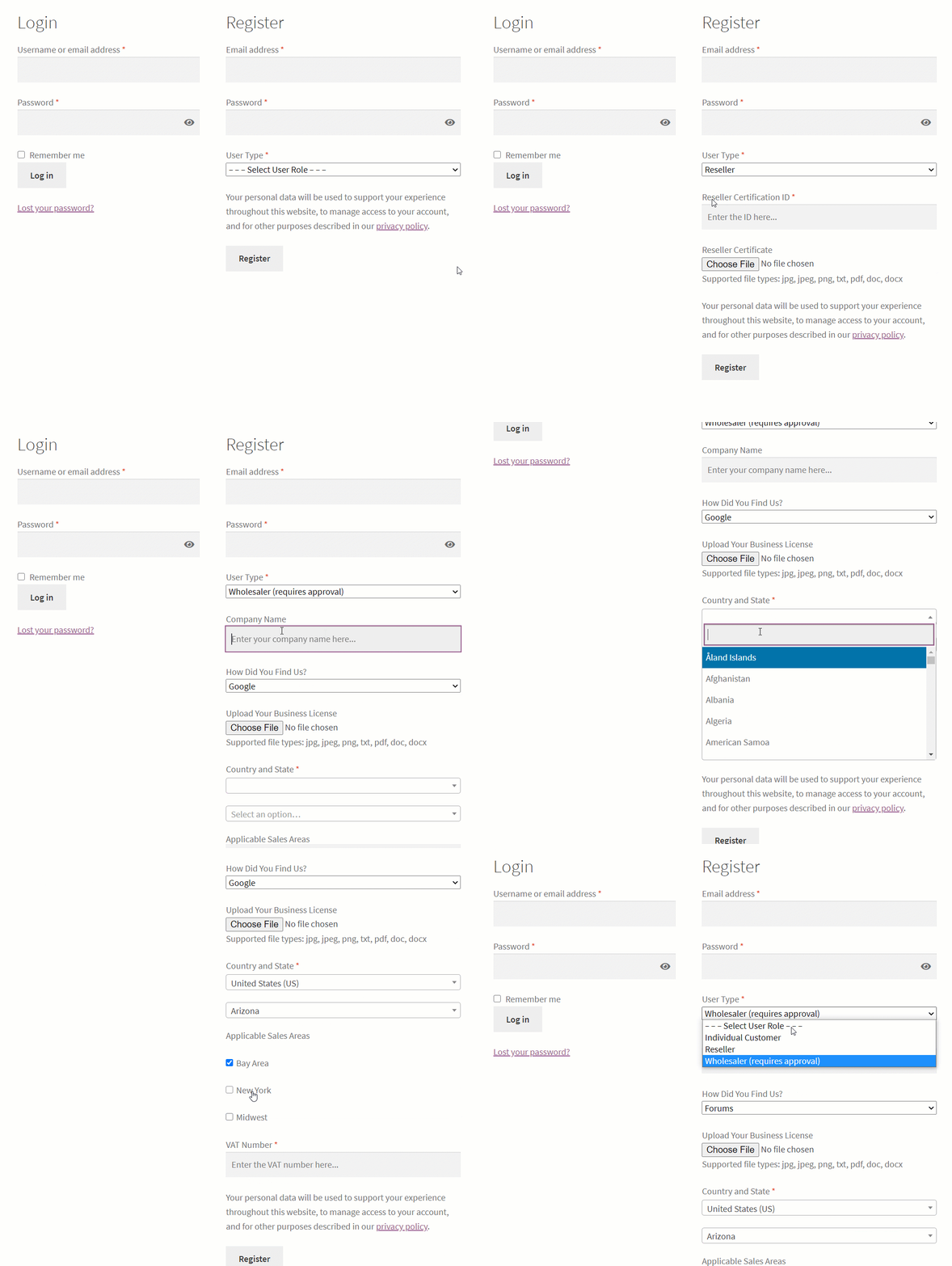
B2BKing supports manual approval for B2B registrations. When a business customer signs up, their account can be placed in a "pending approval" state. They receive a notification that their application is under review, and the shop manager gets an email alert. Once approved, the customer receives a confirmation email and gains access to B2B pricing and features. This review process lets you verify that applicants are legitimate businesses before granting them wholesale access.
You can also completely separate B2B and B2C registration using dedicated shortcodes, placing them on different pages with entirely different forms. This is a clean setup for hybrid stores that serve both audiences.
Managing B2B customer relationships requires more than a basic user list. B2BKing includes a dedicated Customers page that acts as a centralized command center for all your B2B users. This interface displays all registered buyers in a clean, sortable table showing key details at a glance: company name, customer group, total spent, number of orders, registration date, assigned sales agent, and more.
You can customize which columns are visible, sort by any field (for example, sorting by "Total Spent" to identify your highest-value customers), and export the data as a PDF report.
For each customer, you can access a detailed CRM Hub profile with multiple tabs. The Overview tab shows vital stats: total orders, last order date, how long they've been a customer, billing address, VAT ID, email, phone number, and any custom registration field data.
The Notes tab lets you add internal notes about the customer, useful for tracking conversations, special arrangements, or follow-up reminders. The Files tab stores any documents associated with the customer, such as reseller certificates, signed agreements, or uploaded tax exemption forms.
All of this data is accessible both from the main Customers table and from each user's individual profile page, and stays synchronized across both views.
Understanding your B2B performance requires dedicated reporting. B2BKing includes a reports and analytics section where you can view sales data segmented by B2B vs. B2C, by individual customer groups, and by individual customers.
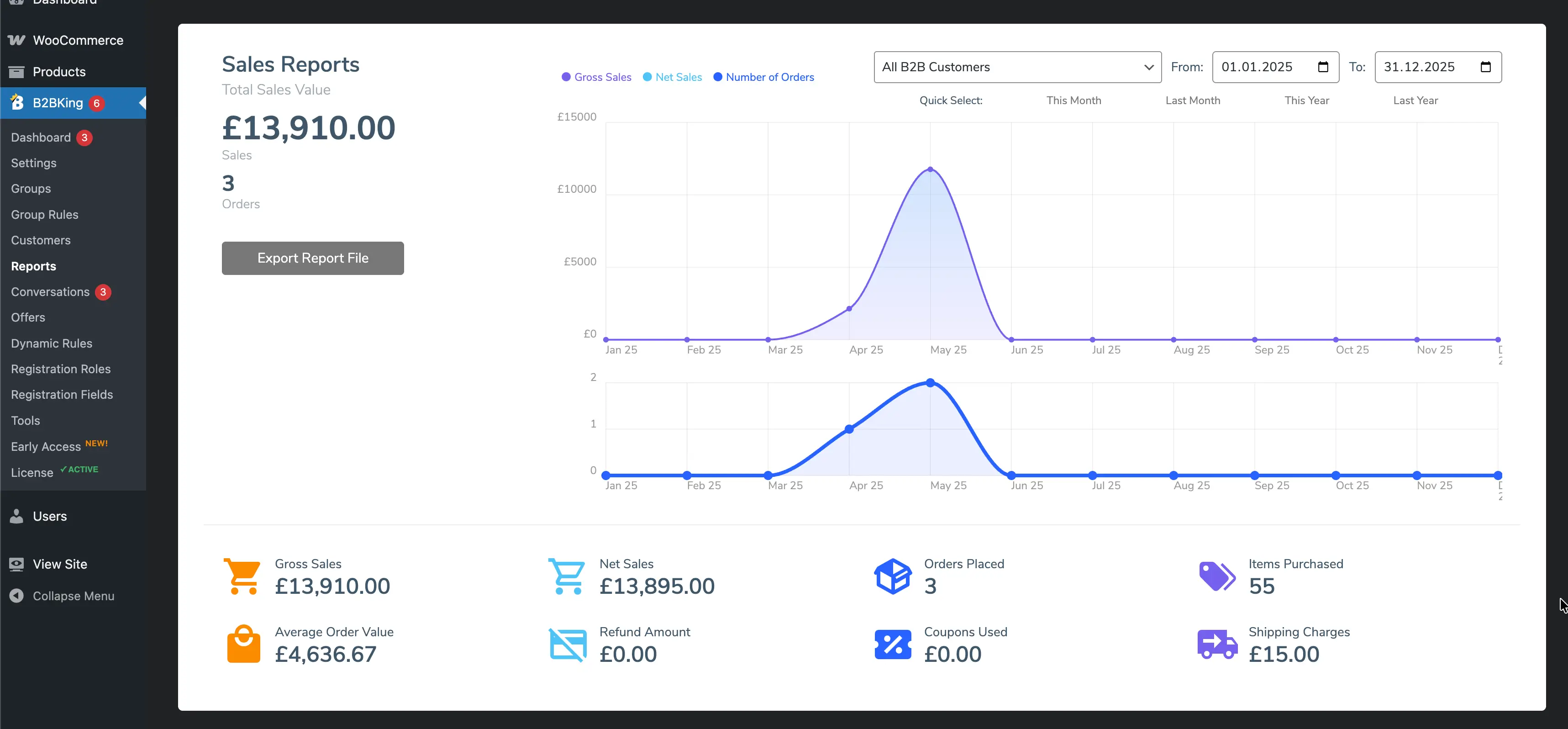
This lets you answer critical business questions: Which customer group generates the most revenue? Which individual customers are your top spenders? How do B2B sales compare to B2C over time? These insights are essential for making informed decisions about pricing, discounts, and which customer relationships to invest in.
B2B relationships require ongoing communication. B2BKing's built-in Conversations system provides a messaging platform directly within WooCommerce. Customers can start conversations from their My Account page: quote requests, product inquiries, or general messages. The shop manager sees and responds to all conversations from the WordPress admin panel. Every new message or conversation triggers an email notification (configurable in WooCommerce's email settings), so neither side misses a response.
When using subaccounts (the multiple-buyers-per-company feature), multiple team members from the same company can participate in the same conversation thread. This built-in system keeps all B2B communication centralized and linked to the customer's profile, rather than scattered across email inboxes where context gets lost.
For B2B operations that rely on a sales team, the companion SalesKing plugin integrates seamlessly with B2BKing. SalesKing is a standalone plugin (it doesn't require B2BKing), but when the two are used together, the functionality is deeply integrated.
SalesKing provides each sales agent with a dedicated dashboard where they can manage their assigned customers, view orders, create and share coupons, generate sharable carts, send messages, manage subagents, and track their earnings.
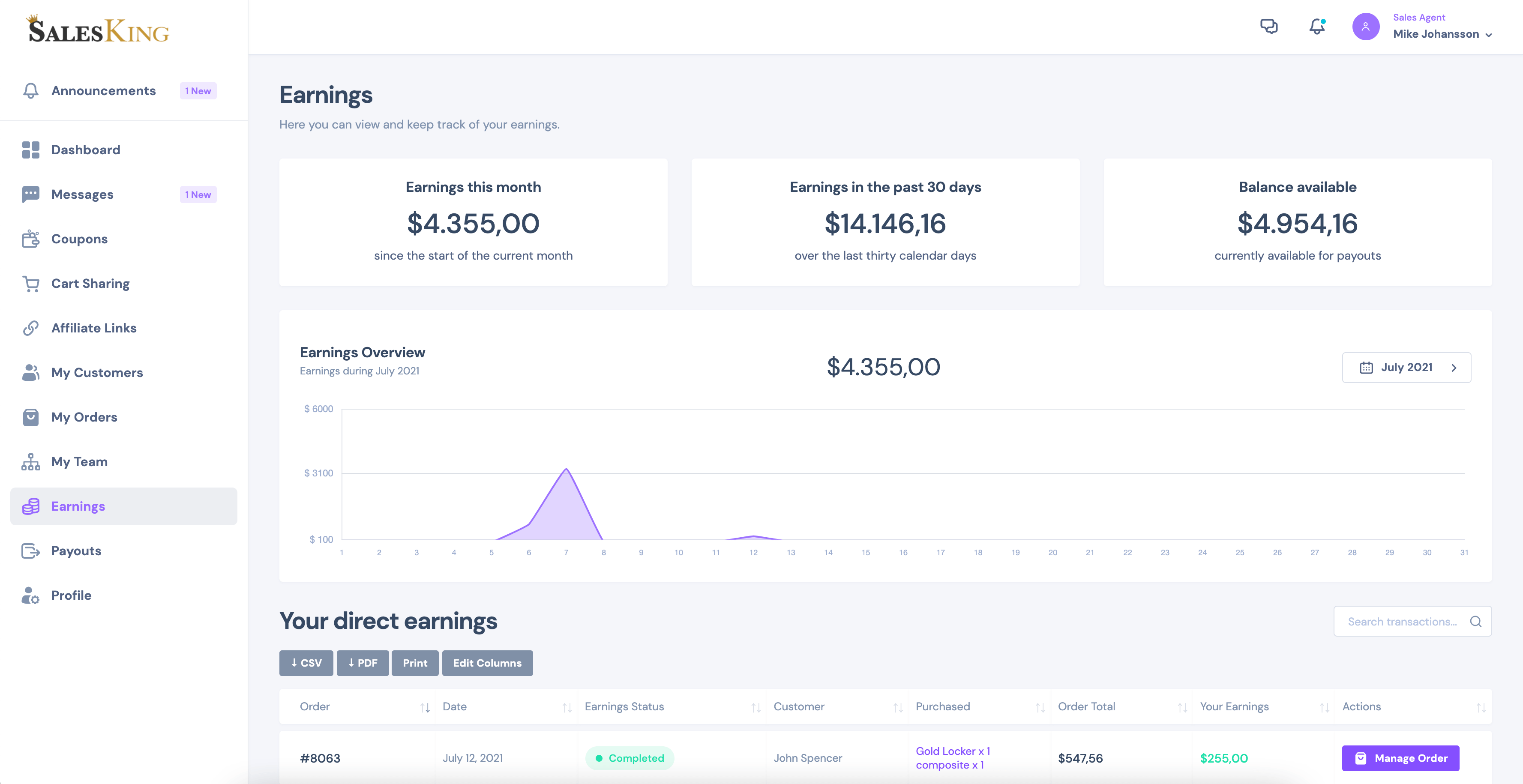
On the admin side, you can set up advanced commission structures (fixed or percentage-based, by product, customer, or agent group), manage payouts, publish announcements, and promote agents across groups automatically based on their sales performance. Agents can also place orders on behalf of their B2B customers, which is a common workflow in wholesale operations where buyers call or email their orders to a rep.
Perhaps the most powerful feature in B2BKing is its dynamic rules engine. Dynamic rules are flexible, condition-based rules that can control nearly every aspect of your store's behavior. Each rule specifies what it does, who it applies to, which products it affects, and under what conditions.
The available rule types include: percentage discounts, fixed-amount discounts, fixed prices, hidden prices (hide pricing for specific users or products), free shipping, minimum order quantities, maximum order quantities, required multiples (for box/carton quantities, e.g. must purchase in multiples of 12), tax exemptions, zero-tax on specific products, added taxes or fees, BOGO (buy X get one free), non-purchasable rules, tiered price rules, and payment method surcharges or discounts.
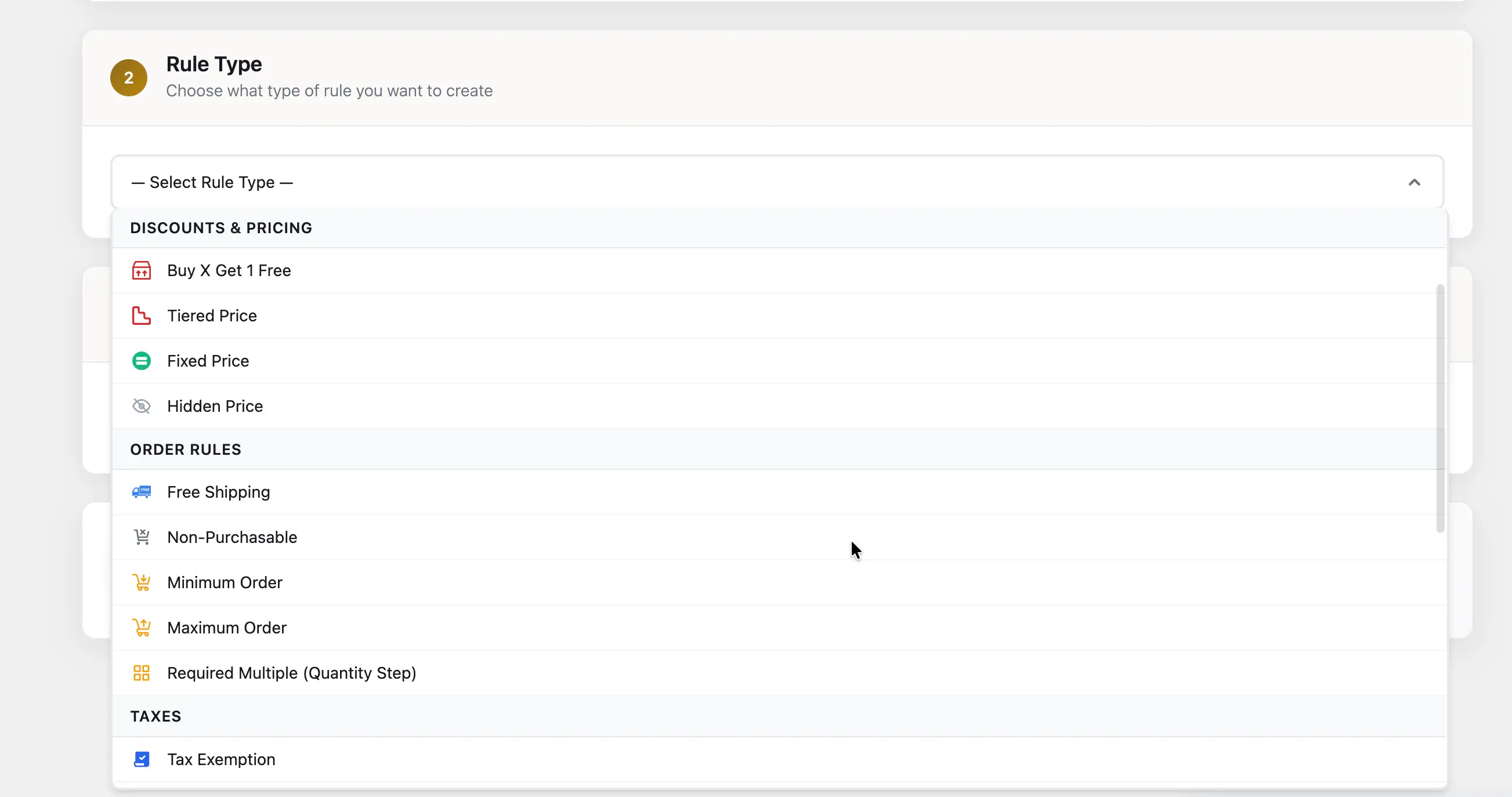
Each rule can target specific products, categories, individual users, customer groups, all B2B users, all B2C users, or all guests. And each rule can have conditions attached: minimum cart quantity, minimum cart value, minimum product quantity, or minimum category value.
Here are some real-world examples of what you can achieve with dynamic rules:
The rules engine is what makes B2BKing capable of handling the complexity that real-world B2B operations demand. Instead of needing custom code or multiple plugins for each requirement, a single dynamic rule handles each scenario.
WooCommerce provides the ideal foundation for e-commerce: open-source, flexible, and fully within your control. But for business to business operations, it needs to be extended with the right tools. B2BKing bridges this gap, transforming WooCommerce into a capable B2B platform with wholesale pricing, customer groups, tax handling, quote systems, access control, a built-in CRM, and a powerful rules engine that can adapt to virtually any business requirement.
Whether you're setting up a new wholesale store from scratch, adding B2B capabilities to an existing B2C shop, or running a complex hybrid operation with different rules for different customer segments, B2BKing provides everything you need in a single, integrated plugin.
To learn more, explore the B2BKing documentation or get started with B2BKing.

